Getting Started
Getting started with your bitaxe is a snap, thanks to our easy-to-follow, step-by-step setup guide.
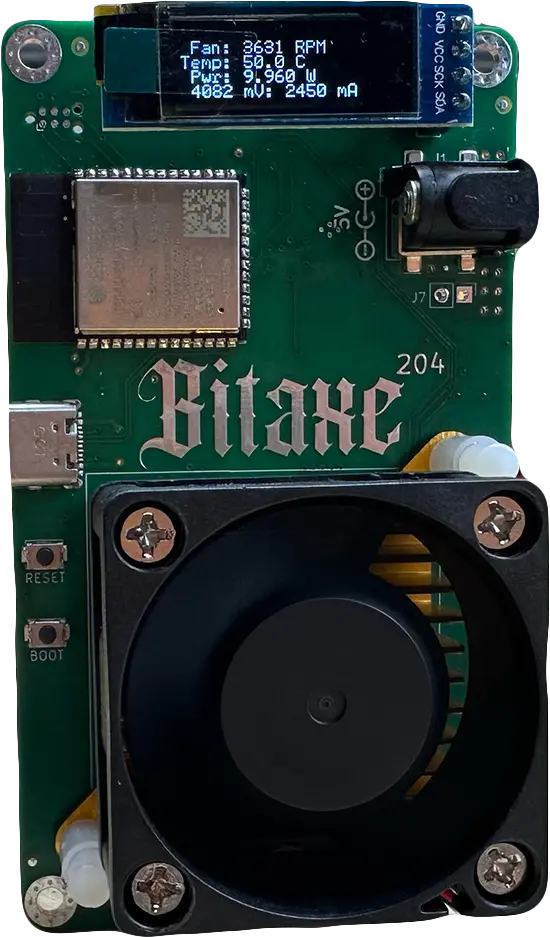
Review Box Components:
- Your SustainHash Bitaxe box should contain the following:
- 1 (one) Bitaxe miner
- 1 (one) corded 5V power supply.
Initial Power-Up:
Plug your Bitaxe miner into the provided 5V power supply. This will automatically turn on the miner. NOTE: It is important only to use an approved power supply. Using alternative power supply models may permanently damage your miner.
Access The AxeOS Web Portal:
The miner will attempt to connect to a default network, which it will not initially find. Use a wi-fi-capable device (ie. A phone, laptop, desktop, etc.) to search for an access point called Bitaxe_XXXX.
After connecting to the bitaxe SSID, you should be automatically redirected to the AxeOS web portal. If you not automatically redirected.
Open your browser:
Visit http://192.168.4.1.
Configure Wifi Settings:
In the AxeOS web portal, click on the ‘settings’ button. Select your local Wi-Fi network and connect to it. NOTE: Bitaxe devices are incompatible with 5GHz WIFI; they only work with 2.4GHz Wi-Fi. Double-check the Wi-Fi SSID and password before entering to prevent manual recovery later.
Update Mining Pool Settings:
Within the AxeOS web portal you will see a default pool configuration. Your miner will work however to receive any payouts you need to change the user to “YOUR-BTC-ADDRESS.MINER-NAME”. You may also change the pool URL and port to a mining pool of your choice. NOTE: We recommend doing your research to find a mining pool that works best for you. The r/bitaxe Reddit is an excellent resource for finding accessible information.
Save and Restart to Apply Changes:
Start Mining:
Good luck and watch out for Balrogs.